
No products
- English
- Français
Home
- ARP
- Behringer
- Pedals (BOSS / Roland)
- Cyclone analogic
- Elektron
- Electronic Components
- Korg
- Moog
- Oberheim
- Rhodes
-
Roland
- Boss DR-55 Dr. Rhythm
- Boss KM-60
- CMU-800
- CR-78
- CR-5000 CR-8000
- CSQ-100/600
- D-10
- D-20
- D-50
- D-70
- EP-09
- HS-60
- Jazz Chorus Amplifier Series
- JD-800
- JUNO-6
- JUNO-60
- JUNO-106
- JUPITER-4
- JUPITER-6
- JUPITER-8
- JX-3P
- JX-8P
- JX-10 Super JX
- MC-202
- MC-303
- MC-909
- MKB-200
- MKS 30 50 70 80 100
- PA- Vintage Mixer Series
- PG-200
- PROMARS
- Space Echo (RE-101, RE-150, RE-201, RE-301, RE-501)
- RS-09
- RS-505 Paraphonic
- SA-09 Saturn 09
- SBF-325
- SBX-10/80/1000
- SH-1
- SH-2
- SH-3 SH-3A
- SH-5
- SH-7
- SH-09
- SH-32
- SH-101
- SH-1000
- SH-2000
- SPH-323
- SPV-355
- SVC-350
- SYSTEM 100
- SYSTEM 100M & 700
- TB-303
- TR-8
- TR-77
- TR-505/TR-626
- TR-606
- TR-707/727
- TR-808
- TR-909
- U-20
- VK-09
- VP-330
- Sequential Circuits
- Sound Master
- Synths & Gear
- x0xb0x
- Yamaha
- Accessories
Search
Back in stock

Cyclone Analogic TT-303 Bass Bot MK1
Viewed products
-
Prophet-600...
Replacement membrane switch pad for...
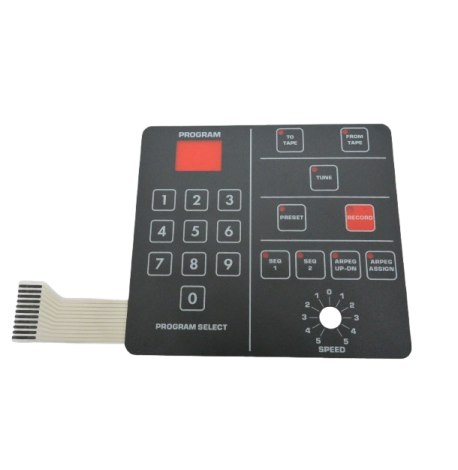
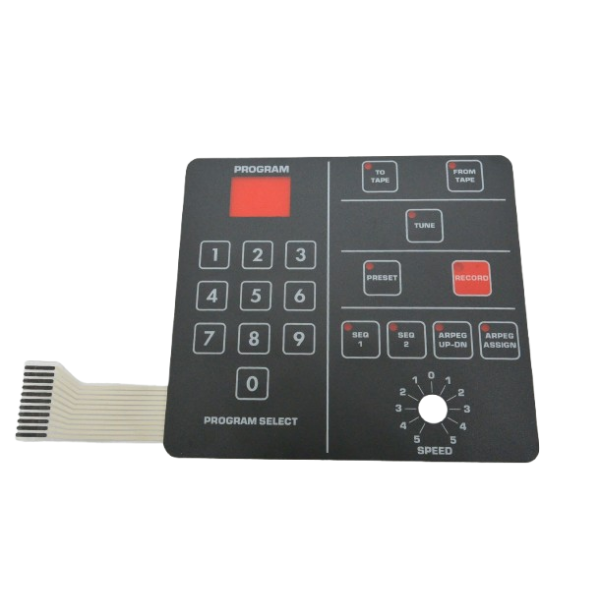
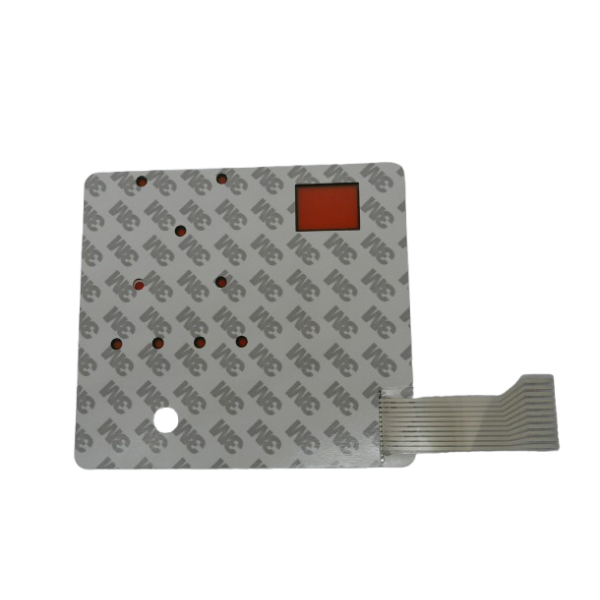

Prophet-600 Replacement Membrane Panel Switch Pad Self-adhesive
New product
Replacement membrane switch pad for Sequential Circuits Prophet-600 Synthesizer.
High quality membrane panel overlay, reproduction designed for restoring the Prophet-600.
No soldering required, Self-adhesive 3M, Easy installation.
How to remove/install the membrane switch pad
1. Remove 4 screws on the top of both of side panels.
2. Lift control panel up.
3. You will find a ribbon cable. Carefully pull off the ribbon cable from the socket. No tool is needed.
4. Return the control panel. Remove a SPEED knob. Just pulling up.
5. Pry the four corners of the switch pad with a scraper or putty knife and peel it off.
6. Rub the surface of the rest of adhesive with a soft cloth soaked in gasoline or isopropyl alcohol to soften it, and then scrape it with a scraper of a putty knife. It will take one hour +.
7. Clean the surface.
8. Remove the backing paper of the new switch pad, pass the ribbon cable through the slit, and pull it out to the back side.
9. Position it according to the SPEED pot and the display window, and stick it so that the top and bottom are parallel.
10. Insert the end of the ribbon cable to the socket. No tool is needed.
11. Put the SPEED knob as before.